Cancellations and Data Export
If the band breaks up (we hope not!) or you simply no longer need to use BandMath, you can cancel your subscription and export your data at any time.
Canceling Your Subscription
To stop future billing:
- Navigate to the web portal at account.itsbandmath.com.
- Select Manage Subscription to open the Stripe portal.
- Select Cancel Plan.
Your premium features will remain active until the end of your current billing cycle. After that, your workspace will be downgraded to the free tier. Your data is not deleted when you cancel a premium subscription.
Exporting Your Data
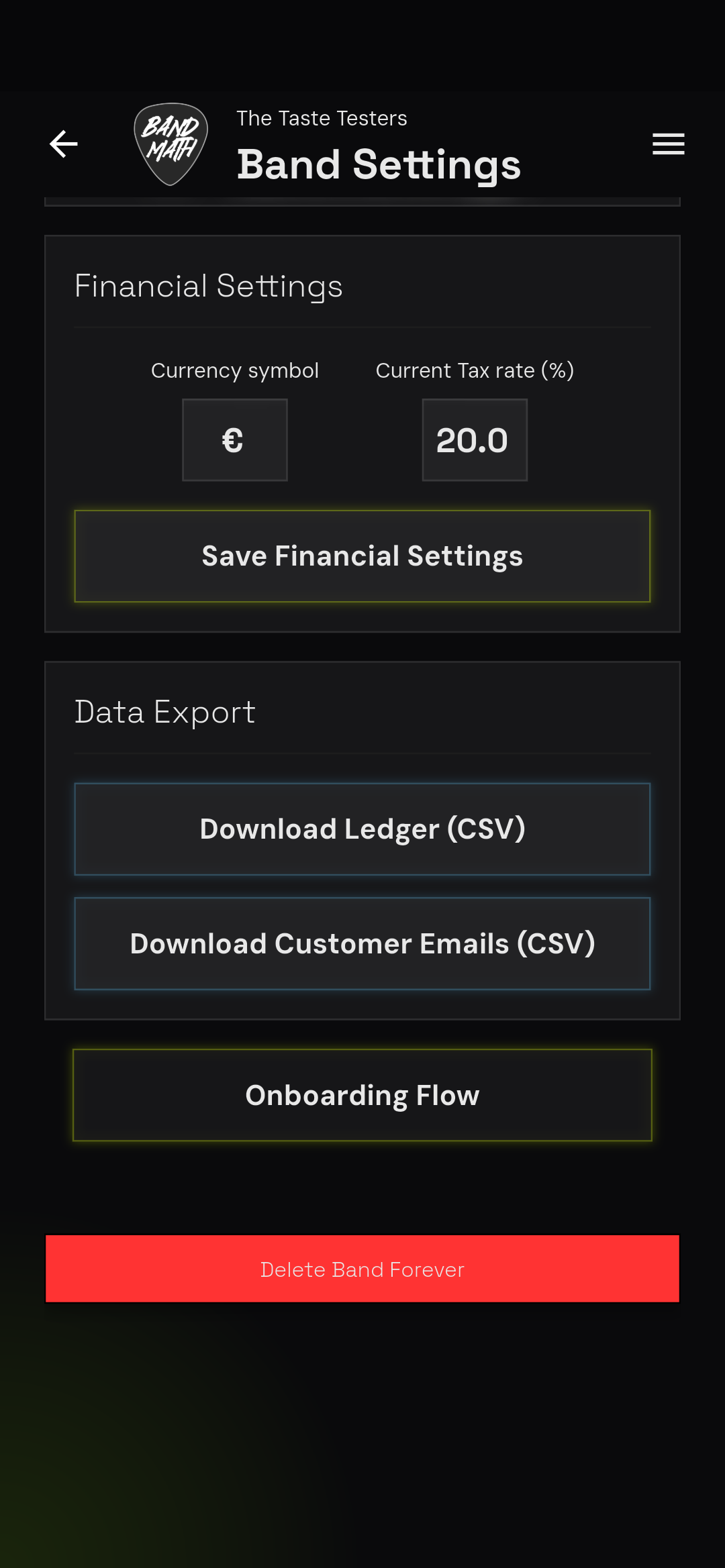
We believe your financial data belongs to you. You can export your entire ledger to a CSV file for your accountant or for your own records.
- Go to the Settings page.
- Select Data Export.
- Choose the date range you wish to export, and tap Download CSV.
- The generated CSV will contain every transaction, including the date, amount, payer, receivers, and itemized merch sales.
Deleting Your Workspace
If you want to permanently erase your band's data from our servers:
Deleting your band workspace is irreversible. All ledger history, merch inventory, and member profiles will be permanently erased.
- Go to Band Settings.
- Scroll to the very bottom and tap Delete Band Workspace.
- You will be prompted to type the name of your band to confirm the deletion.
Only an Admin can delete a band workspace.